
- GOVERNMENT
Public Participation Guide for City Council Meetings
The City of Solana Beach offers multiple ways for the public to participate in City Council Meetings, including in-person and online options. For accessibility support related to Commission or other public meetings, please contact the City Clerks Office.
This guide provides step-by-step instructions for:
- Joining meetings
- Participating remotely
- Presenting materials
- Accessing translation and accessibility services
If you only wish to watch the meeting, you may do so without registering via:
- City website livestream
- YouTube Live
- Local Public, Educational, & Government (PEG) Channel
How to Join a Meeting (with Troubleshooting)
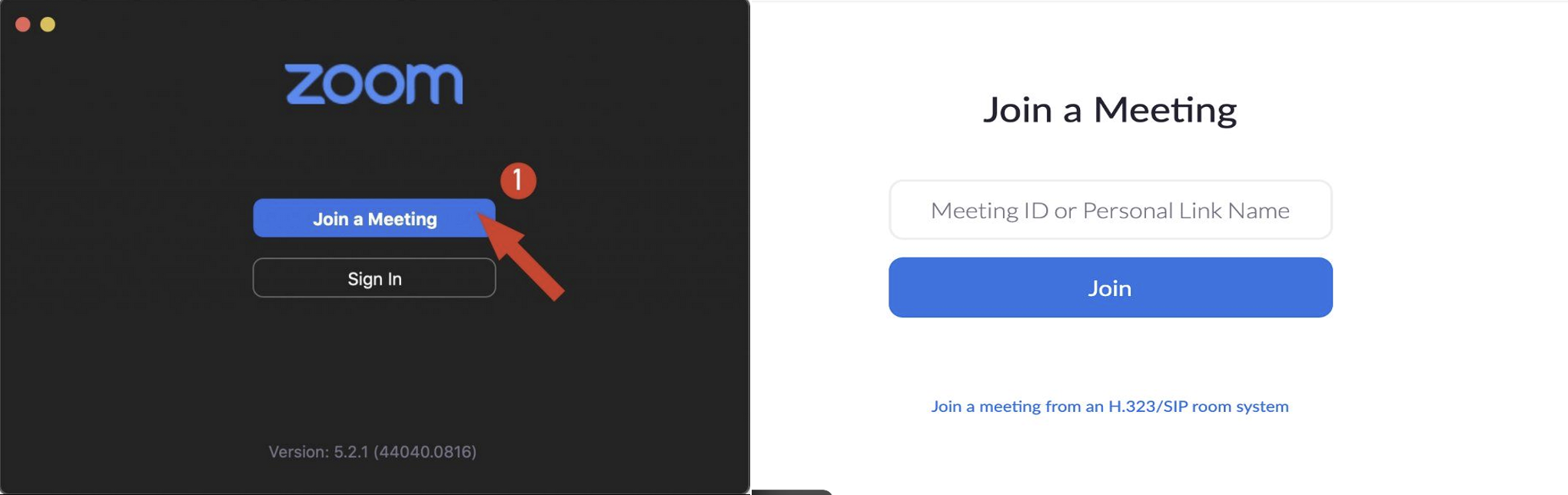
Steps to Join:
- Register using the zoom link provided in the meeting agenda.
- Check your email for a confirmation with your Zoom link.
- Click the link at the scheduled meeting time or dial in by phone.

Note: Registration is required to provide public comment via Zoom.
Troubleshooting Tips
If you experience issues, try the following:
- Use the correct Zoom link from the confirmation email
- Join 5–10 minutes early
- Try another device or web browser (Chrome recommended)
- Check your internet connection
- Restart your device
- Use the phone dial-in option as a backup
How to Participate in the Meeting
When It Is Your Turn:
- Wait for your name to be called
- When called, Unmute (*6 if using a phone)
- State your name for the record
- Provide your comment within the allotted time
- When finished, mute (*6 if using a phone)
Presenting During a Meeting
If you plan to present materials as part of public comment and have registered to speak:
- Indicate during registration that you will be presenting
- Submit your materials in advance (PDF or PowerPoint preferred) to clerkoffice@cityofsolanabeach.ca.gov
Submission Deadline: Preferably in advance; same-day submissions may be accepted but are not guaranteed
Important Notes:
- Include your name and agenda item number
- Late submissions may not be accommodated
- Staff may assist with displaying materials during your speaking time
Translation Services & Language Access
Residents may use free tools to translate City documents:
- Google Translate
- DeepL Translator
- Microsoft Word (built-in translation feature)
Need Assistance? Please contact the City Clerk’s Office at clerkoffice@cityofsolanabeach.ca.gov.
The City will make reasonable efforts to assist with language access requests.
Accessibility & ADA Compliance
The City of Solana Beach is committed to ensuring that all public meetings are accessible to individuals with disabilities, in accordance with the Americans with Disabilities Act (ADA).
Requesting Accommodations
If you require accommodations to participate in a meeting, such as:
- Assistive listening devices
- Closed captioning
- Screen reader–accessible materials
- Language interpretation services
- Other accessibility support
Please submit your request at least 72 hours in advance of the meeting when possible.
How to Request:
- Email: clerkoffice@cityofsolanabeach.ca.gov
- Phone: 858-720-2400
Providing advance notice helps ensure the City can make appropriate arrangements.
Accessible Participation Options
The City offers several methods to ensure broad and equitable access to public meetings, including:
- Interactive participation via Zoom with AI language support
- Telephone audio access for participants without digital devices
- Broadcasts on the local Public, Educational & Government (PEG) television channel
These options are designed to increase flexibility and ensure inclusive participation for all community members.
Accessibility Tips for Participants
To improve your experience:
- Join the meeting early (5–10 minutes ahead)
- Use a stable internet connection
- Test your audio/video settings in advance
- Keep your device updated
- Use headphones or assistive devices if needed